
Start with the pest-control work you want more of
Pest control SEO helps people find your business through unpaid search results when they need a service you provide. A useful plan connects your Google Business Profile, website pages and enquiry process to the pests, properties and areas your team can actually handle. Local search includes Maps and Business Profile results as well as ordinary website results. Track them separately: better website visibility does not automatically mean better Maps visibility.
That last part matters. A homeowner who has found droppings, a buyer arranging a termite inspection and a restaurant manager seeking ongoing pest management have different questions. Sending all three to a vague “we treat everything” page makes it harder for them to choose you.
Write a short service and capacity brief
- Priority work: Which services do you want to grow? Separate one-off treatments, inspections, recurring residential plans and commercial agreements.
- Coverage: Which towns, suburbs or postcodes do you reliably serve? Where do travel time and route density make a job less attractive?
- Capacity: Can the team take more of this work now? Who handles calls, quotations and follow-up?
- Boundaries: Which pests, property types or treatment methods do you not handle? What requires an assessment before you can quote?
- Evidence: Which qualifications, photographs, completed jobs and customer comments can you accurately and lawfully use?
Choose one priority service and a realistic area first. A narrow, useful improvement is easier to assess than a simultaneous rewrite of every page.
Separate Maps, website results, ads and AI answers
A search for pest control can show several ways to reach a company. They have different inputs and reporting. Ask a provider which surface they mean when they say “visibility”.
- Maps and local listings: your Business Profile, real operating location, relevance and local prominence matter. A map position varies with where the searcher is.
- Ordinary website results: your service and advice pages need to be discoverable, useful and relevant to the search. A strong map listing does not replace a clear service page.
- Paid search and Local Services Ads: these are separate advertising products, with their own availability, eligibility, budgets and measurement. Advertising spend is not payment for an organic ranking.
- AI-generated answers: assess the actual answer and linked sources, not an invented “AI rank”. An appearance in one answer is not proof of consistent recommendations.
For Google’s AI Overviews and AI Mode, the usual SEO foundations remain relevant. Google says no special AI file or additional schema is required, and eligibility does not guarantee inclusion. Keep important information visible in text, make pages easy to discover and ensure any structured data matches the page. Google’s guidance on AI features.
Start with the search surface most closely connected to the problem. Missing or inaccurate business details call for a profile review. An unclear termite page calls for a content review. Unanswered calls call for an operational fix.
Match the search to the customer’s next decision
Keyword research should help you decide which page a customer needs. Start with the language in recent calls and enquiries, then check search results and keyword tools for your actual market.
Keep buying searches and advice searches separate
- General local demand: “pest control [city]” or “exterminator [city]” usually calls for a clear overview of services, coverage and contact options. Use the wording customers use in your market.
- Specific service demand: “rodent control [city]”, “termite inspection [city]” and “bed bug treatment [city]” need answers about that particular service. Only target work you provide.
- Recurring protection: A visitor comparing a pest-control plan needs inclusions, exclusions, visit frequency, cancellation terms and the distinction between an initial visit and ongoing service.
- Commercial demand: A property manager may need to know which premises you serve, how assessment and reporting work, and who discusses a multi-site requirement.
- Information: “What are signs of rodents?” may justify a helpful guide that links to the relevant service. It is not the same level of buying intent as a request for an inspection.
Compare estimated search volume and organic SEO difficulty, then inspect the pages actually appearing. Advertising competition is a separate metric and does not measure organic ranking difficulty. Tool estimates are directional, not a forecast of your enquiries. A smaller search for a profitable service in your area may be more useful than a broad topic attracting readers you cannot serve.
Do not create separate pages for every close variation of “pest control company”, “pest control services” and “exterminator”. If they describe the same customer need, one clear page can address them naturally. Record distinct service needs rather than building a page for every keyword.
Build a page map before adding more content
List the pages you already have. Give each one a job, then decide whether to keep it, improve it or create a genuinely missing page. Hold ideas that you cannot support with useful facts.
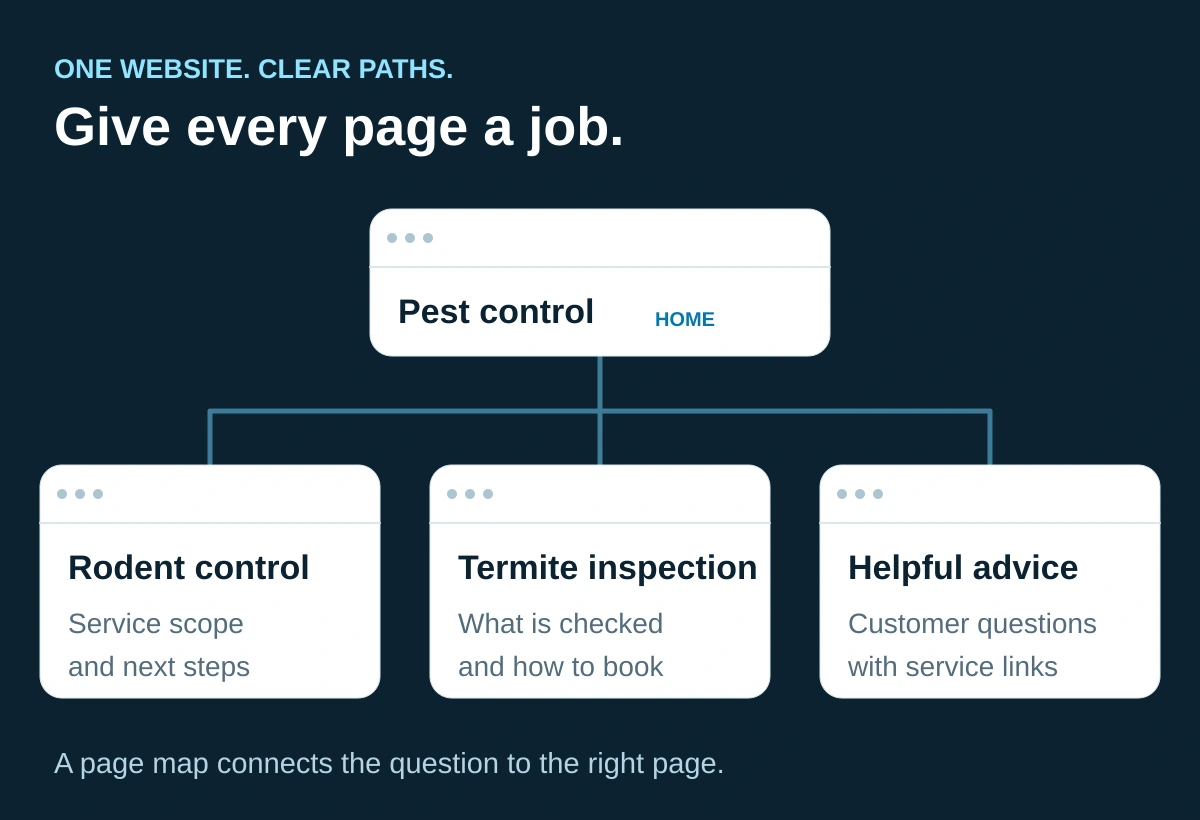
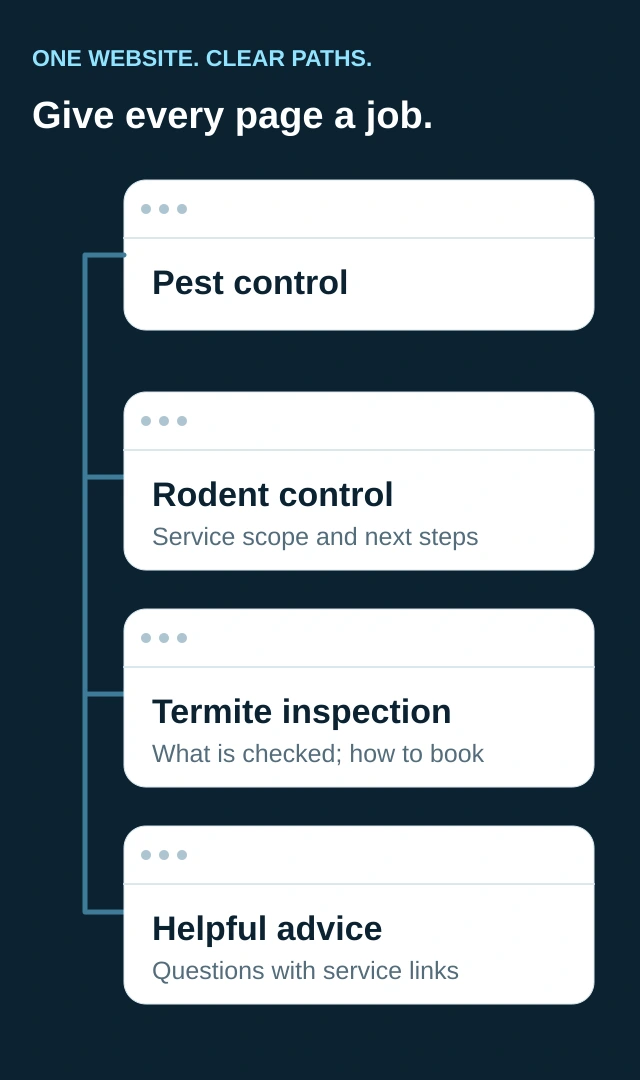
General pest control
Improve the main service page
Explain the services, property types, real coverage and enquiry process. Link to the specific services below. Keep company/exterminator keyword variations here when they share the same intent.
Rodent control
Improve or create one service page
Describe assessment, the work your company offers, relevant exclusions and follow-up. Do not promise permanent removal or a particular method before the property is assessed.
Termite inspections
Use a distinct inspection page
Explain what kind of inspection you provide, its scope and limitations, the report or next step, and how to request it. Do not imply that an inspection includes treatment.
Recurring home pest plan
Create only if there is a real offer
State included pests, service frequency, excluded work and how initial and ongoing charges are explained. Link to complete plan terms where available.
Commercial pest management
Use a clear commercial page
Identify supported premises, assessment process, contact route and reporting you actually provide. Avoid unsupported food-safety or regulatory compliance promises.
Bed bugs or wildlife removal
Hold if not offered
Do not target these searches simply because a keyword tool shows demand. Make the service boundary clear on relevant pages.
Nearby service-area town
Decide case by case
Add a page only when you have useful local information, actual coverage and a customer reason for it. Otherwise explain coverage on an existing service or area page.
When does a service-area page earn its place?
A useful area page explains what your company does there, how enquiries are handled, relevant service limitations and genuine local work where you have permission to share it. It should help someone choose your business without pretending that you have an office in that town.
Changing a town name across dozens of otherwise identical pages gives the reader little extra help. Google’s spam policies cover doorway pages and scaled content made primarily to manipulate rankings. Use a service-area page when it adds real value, not to fill a city-by-pest grid. Read Google’s spam policies.
Before merging, deleting or changing a URL, have your website person check existing traffic, links and redirects. Improving a useful page is usually a safer first step than replacing it solely to put a keyword in its address.
Give one priority service page a complete brief
For the example business, rodent control is the first priority. The page should help a suitable customer understand what happens next, without turning into a treatment manual.
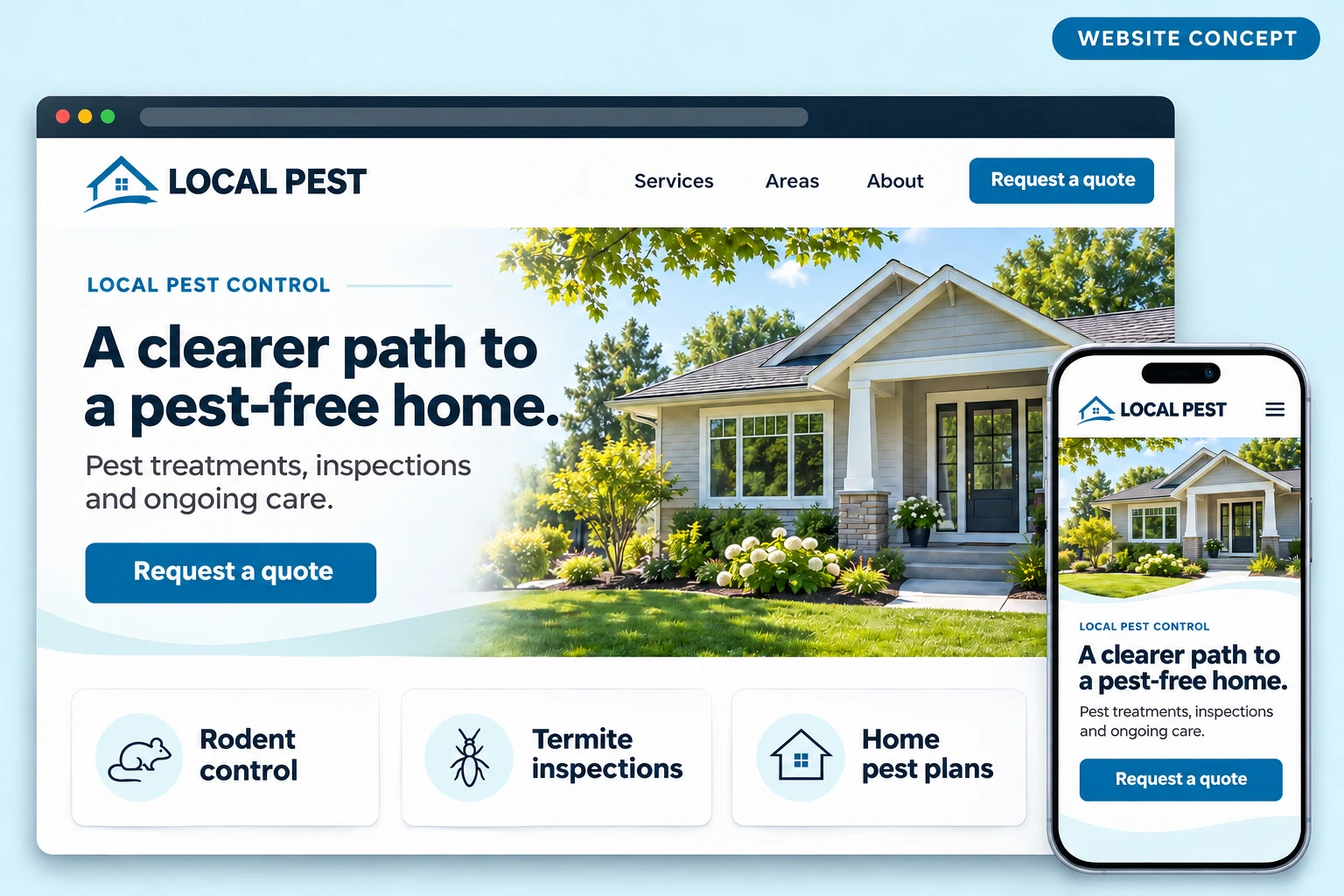
1. State the service and who it is for
A clear SEO title could be “Rodent control in [real service area] | [business name]”. Use a main heading that accurately describes the service. Explain the property types you work with and the relevant coverage. The brackets here are planning prompts, not text to publish. Write a concise meta description summarising the real service and next step. Google may display different title or snippet text, so treat these as useful inputs rather than guaranteed search-result copy.
2. Explain assessment, scope and follow-up
Describe how the company gathers information, assesses the property and recommends work. Explain the services you genuinely offer, which steps depend on inspection, and whether follow-up is included or separately quoted. Keep exclusion work, proofing, monitoring and treatment distinct where your process treats them differently.
Have the appropriately qualified person check all technical statements. Do not add “pet safe”, “non-toxic”, “chemical-free”, a guaranteed outcome or a fixed response time just because competitors use those phrases. Avoid publishing universal treatment, exposure or re-entry advice in marketing copy. Direct customers to the instructions supplied for their actual service.
3. Answer the questions that affect a booking
- Do you work with homes, rentals, managed properties or commercial premises?
- Is there an inspection or call-out charge, or how will the customer learn the price before agreeing?
- What information helps the office assess the request?
- How is availability confirmed? Is the form an enquiry or a booked appointment?
- What does the service include, and what might need a separate quote?
- Who explains any preparation, access requirements and follow-up?
4. Show real evidence with context
A useful job example identifies the general problem, the assessment and the work actually completed. Separate the observed outcome from anything you cannot establish. A photograph of a technician is not evidence of eradication, and a single visit is not proof of long-term prevention.
Confirm publication permission. Avoid identifying a home or business through its address, occupants, signage or recognisable details without a clear reason and permission. A pest issue can be sensitive, especially for a commercial customer. Label stock or illustrative imagery honestly.
5. Make the next step easy on a phone
Use an accurate action such as “Ask about rodent control” or “Request an assessment”. Keep a working phone option and a short enquiry route visible. Ask only for information needed at this stage, such as the service or pest concern, general area, property type and contact details.
Do not make someone complete a long survey before they can tell you the problem. Route the request to a named role in the office, explain what happens next and test the handoff with your team. If you use job-management software, the ServiceM8 website integration guide explains how to distinguish an enquiry from a confirmed booking.
Adapt the brief to the actual service
- Bed bug services: explain the assessment, who provides preparation instructions, how follow-up is decided and what changes the quote. Keep treatment suitability specific to the property, not a blanket claim.
- Mosquito programmes: explain the actual territory, seasonal availability, visit schedule, inclusions and weather-related changes. Do not promise a pest-free outdoor space.
- Rodent exclusion: distinguish inspection, removal or treatment, entry-point work and monitoring. State which parts your business provides and which need a separate assessment.
Make local SEO match the business you actually run
Your Google Business Profile and website should describe the same business. Check the real business name, phone number, website, hours, main category, offered services and service area. Keep customer-facing hours distinct from any unverified “24/7” claim.
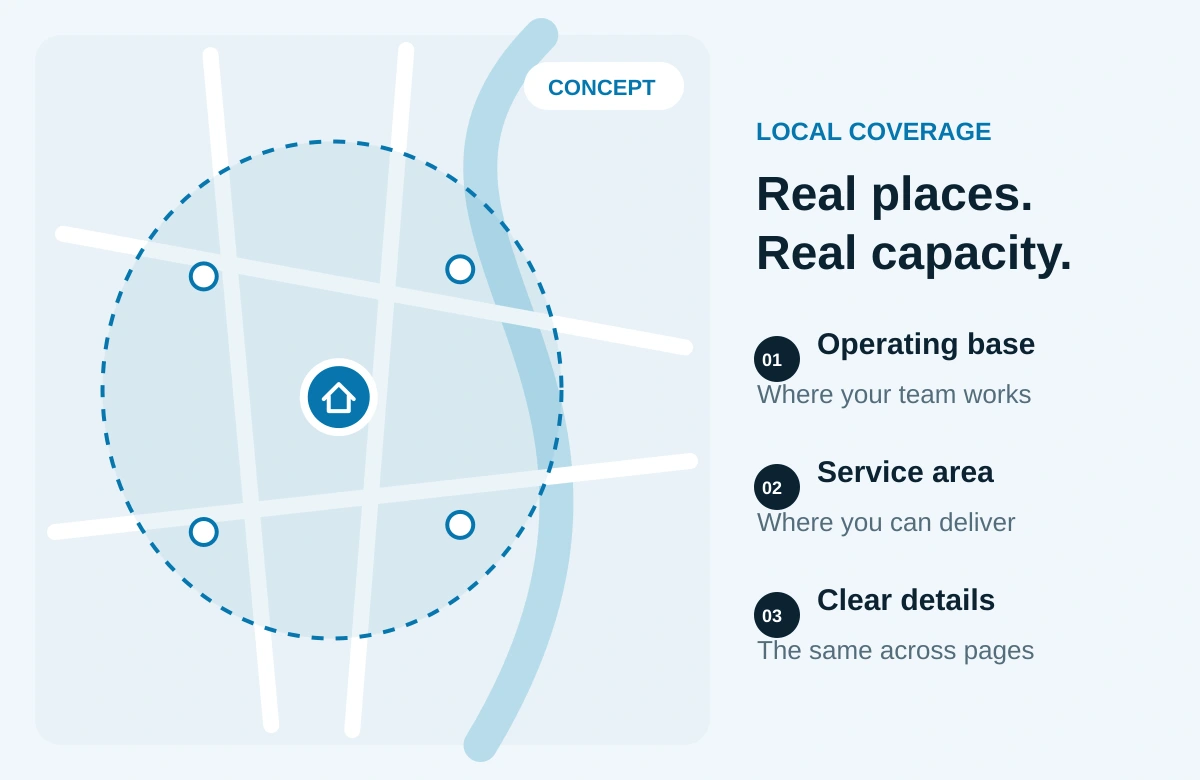
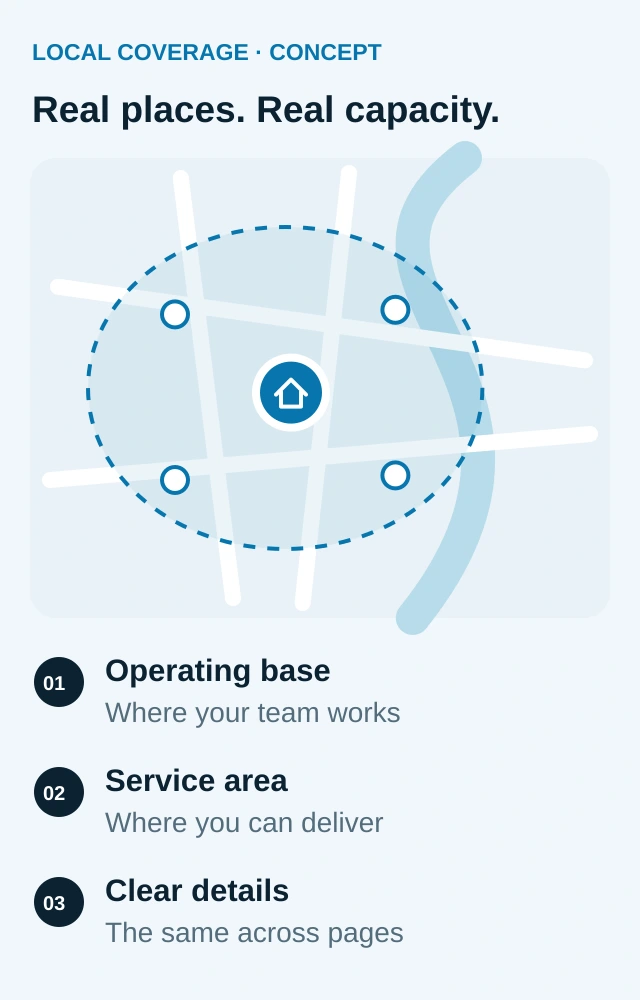
Google describes local ranking in terms of relevance, distance and prominence. You can improve information and relevance, but you cannot make every searcher equally close to your operating base. Adding more service areas is not a guarantee of wider rankings. Google’s local ranking guidance explains the factors.
Do not turn service areas into fictional branches
If you travel to customers and do not receive them at your business address, follow the service-area business rules and hide the address where required. A virtual office or an extra town page does not establish an eligible branch. Separate locations must meet Google’s requirements. Use the real-world business name rather than adding pest or city keywords. Check Google’s business-representation guidelines.
Make reviews and business listings trustworthy
Invite honest feedback from genuine customers through a consistent process. Do not offer rewards, ask only satisfied customers to post publicly or prescribe what they should say. Do not reveal a customer’s pest problem or private job details in a public reply. Google’s review policy sets out prohibited practices.
Start manually if that is easier. Goliath’s review-request guide covers neutral wording and a practical follow-up process.
Check relevant trade-association and local business listings you genuinely qualify for. Correct obsolete contact details. Seek useful coverage through real work, community participation or original local information. Avoid bulk link packages and paid links sold to manipulate search rankings.
Plan seasonal content around your region and workload
Do not copy a national pest calendar and assume it describes your customers. Climate, housing, local species and weather affect demand. Use your own enquiry and completed-job records, together with local search evidence, to decide what deserves attention before a busy period.
- Review the previous comparable season. Which services brought suitable enquiries, and which created work outside your coverage or expertise?
- Choose the page customers will need. Improve the relevant service page before writing several broad seasonal articles.
- Ask a qualified team member for the recurring customer questions and locally accurate context. Keep advice within your expertise and avoid universal treatment instructions.
- Update availability and service limitations. Do not promote an urgent-response promise when your team cannot deliver it.
- Record the change date and compare similar periods. Note unusual weather, changed staffing and advertising alongside the results.
Give useful advice a route to the right service
For a company that genuinely offers mosquito services, a locally relevant planning guide might explain what the inspection assesses, which outdoor areas the service covers and how recurring visits are arranged. Link it to the mosquito service page. Avoid promising that every outdoor space can be made pest-free.
A commercial guide might help a property manager prepare information for an assessment: property type, general location, access arrangements, observed concerns and who can authorise work. Let the service team check it. Do not publish a customer's incident record as a marketing example.
Earn links through work worth referencing
Relevant opportunities can include a legitimate chamber or trade listing, a property-management resource you are qualified to contribute to, or a useful community article with accurate local context. A partner should link because the information helps their audience. Paid placements and sponsorships should use appropriate link attributes rather than being sold as a way to buy rankings. Avoid bulk directory submissions, manufactured testimonials and reciprocal-link schemes.
Fix discovery and contact problems before chasing a score
Ask your website or SEO provider for a short list of problems tied to exact pages. Prioritise issues that stop customers or search engines from using an important page.
- Discovery: Can a visitor reach each priority service from useful navigation and related pages? A page should not depend on a hidden link or sitemap alone.
- Indexing: Inspect the exact URL in Google Search Console. Check whether indexing is allowed and whether the page is indexed. A successful live test does not guarantee inclusion in search.
- Page consistency: Check broken links, unintended redirects, duplicate versions and the preferred page address before changing URLs.
- Mobile use: Read the page on a phone. Confirm text is legible, tap targets work and chat widgets or banners do not block the enquiry route.
- Performance: Investigate slow loading and oversized media on important pages. Use test results to find a problem, then verify the customer experience.
- Contact handoff: With the team’s agreement, test the phone and form routes. Confirm receipt and ownership. A submission message alone does not prove that someone will follow up.
Leave tracking, consent controls and integrations intact unless a specific change is agreed. If new call tracking or recording is proposed, clarify the data collected, access and applicable notice requirements before installation.
Structured data should describe truthful, visible page content. It is not a shortcut to a ranking, and an SEO tool’s green score is not proof of more suitable enquiries.
Measure suitable enquiries, not just traffic
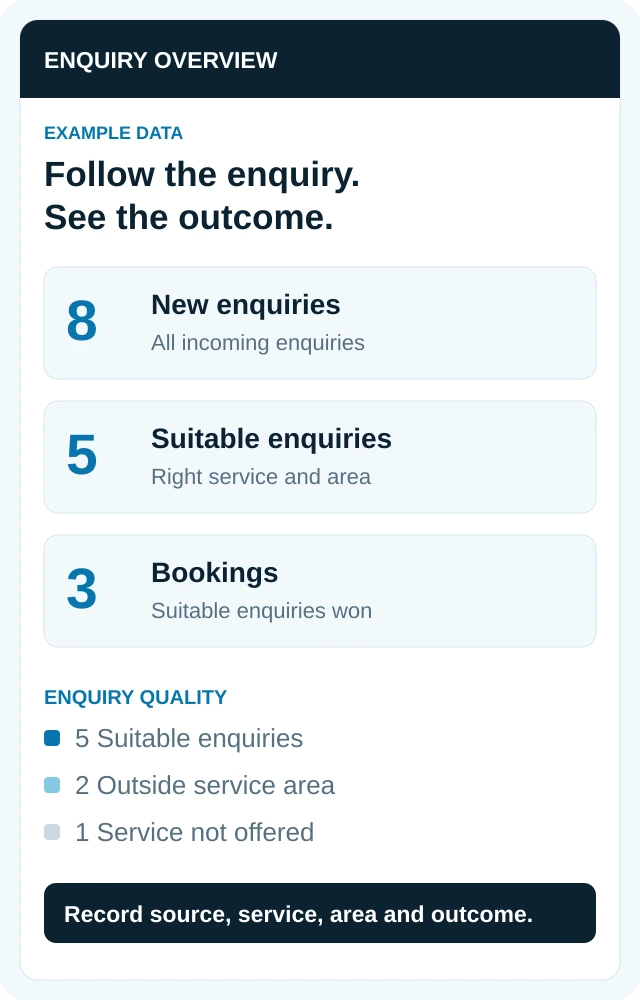
A pest-control company can receive more traffic while attracting the wrong pests, locations or property types. Keep visibility, enquiries and booked work separate in the report.
Use a simple monthly review
- Search visibility: Review impressions, clicks and queries for the pages you changed, using a clear period. Where possible, separate business-name searches from service searches.
- Enquiry quality: Record requested service, area, property type, suitability and the reason for unsuitable requests.
- Source evidence: Keep the landing page and known source when available. Label unknown or mixed sources instead of forcing them into SEO.
- Commercial outcome: Follow the same enquiry through assessment, quotation, booking and completed work. For recurring plans, distinguish a new plan from later visits and renewals.
- Operating context: Note seasonality, weather, changed service areas, price changes, staffing and advertising activity before crediting a result to SEO.
Search Console reports clicks, impressions and search position, not your completed jobs. Business Profile call-button clicks do not establish answered calls, and its performance data can include activity from ads. Use these as indicators alongside your office records. See Search Console’s performance definitions and Business Profile’s metric definitions.
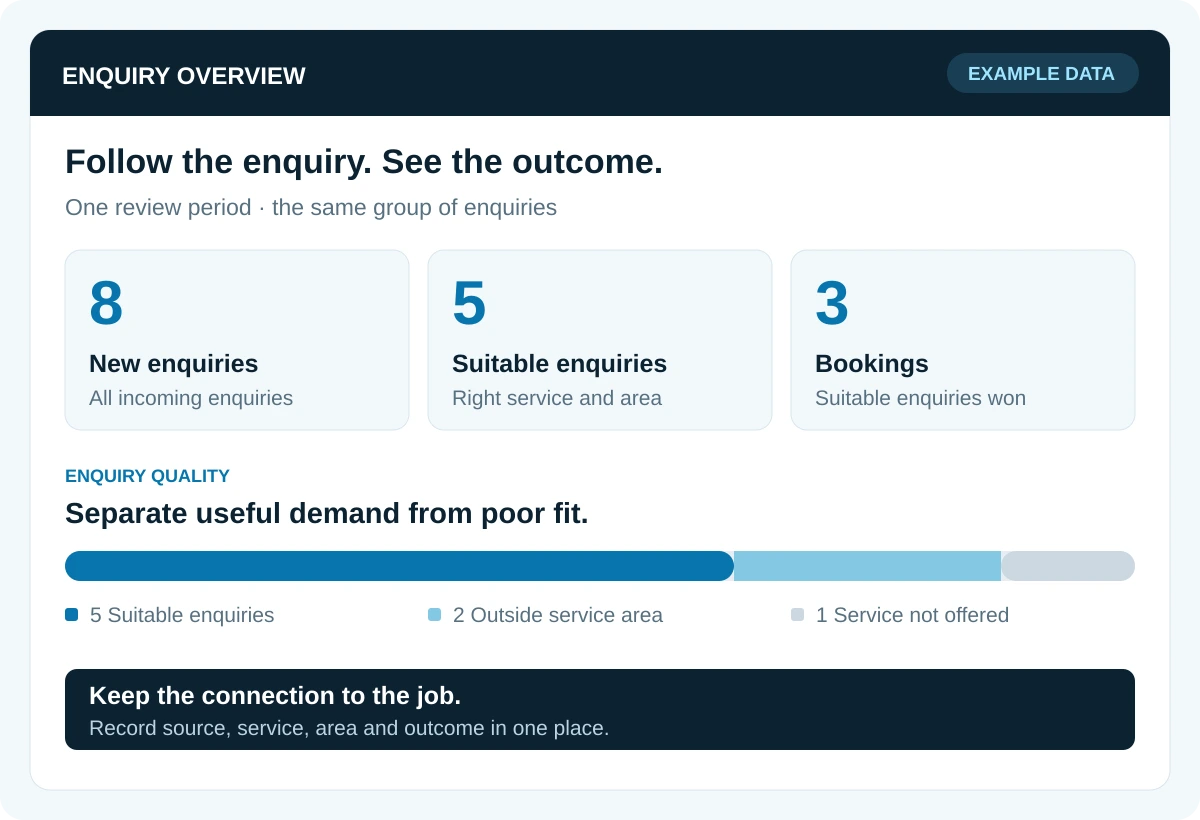
A jump in spring enquiries may reflect seasonal demand as well as better pages. Compare equivalent periods where you can, and show the date of major changes. A small company with few leads may need a longer review period before a pattern becomes meaningful.
If enquiries rise but bookings do not, check call handling, response time, suitability and quoting. More content may not solve an office handoff problem.
PLANNING TOOL · YOUR ASSUMPTIONS
What would SEO need to earn back?
Work out how many additional customers would cover one month of SEO investment. Use your own contribution and conversion figures.
YOUR BREAK-EVEN SCENARIO
Enter your figures to compare the first-job and optional recurring-customer scenarios.
From first completed jobs
—
additional paying customers
Qualified enquiries needed: —
Including the next 12 months
—
additional paying customers
Add an optional 12-month contribution to compare.
No assumptions have been entered.
How the calculation works
Additional customers needed = monthly investment ÷ contribution per new customer, rounded up. Qualified enquiries needed = that rounded customer requirement ÷ your conversion rate, rounded up. Use the same calculation separately for first-job and 12-month contribution. Compare the model with observed customer outcomes before increasing spend.
What to ask a pest-control SEO company
Whether you do the work internally or hire a provider, the plan should explain which problem comes first. Useful pest-control SEO services can include local profile work, page planning, content, technical fixes and measurement. Agree the scope instead of assuming every activity is included.
- Which services and areas are you prioritising, and why? Ask to see the search evidence and how it relates to the work you want.
- Which existing pages will you improve? Ask for a reason before approving a large batch of new service or city pages.
- What do you need from our team? Establish who confirms service facts, qualifications, plan terms and permission for examples.
- What will you report? Expect completed work, search activity and suitable leads to be distinguished. Ask how unknown sources are handled.
- What will it cost? Clarify setup, ongoing fees, content, software, reporting and any separately charged work. Compare deliverables and responsibilities, not just a monthly figure.
- What do we own and control? Confirm business access to the domain, website, profile and reporting, plus content ownership and handover terms.
- How will we review progress? Agree milestones for completed work and a separate evidence-based review of results.
There is no universal price or guaranteed timetable for a useful result. The condition of your site, competition, local market and scope all affect the work required. Be wary of promised top positions, invented locations or assurances that every lead can be attributed precisely.
If you want Goliath’s help, bring your priority service, coverage and current website. We can use that context to discuss the next step through our search engine optimisation service. Any proposal should make the deliverables, responsibilities and costs clear before you commit.
Agree a first-90-day work plan, not a ranking promise
Use this as an example of deliverables to discuss, not a guaranteed timetable or a promise of results within 90 days. A small established site and a multi-location rebuild need different scopes.
First 30 days · establish the baseline
Confirm access, priority services, real locations and existing pages. Record search and enquiry baselines. Check profile accuracy, priority-page indexing and contact routes. Deliver a ranked fix list with an owner and completion check for each task.
Days 31–60 · ship the useful fixes
Improve agreed service pages, resolve confirmed technical blockers and connect relevant internal links. Gather approved job evidence and put a neutral review-request process in place. Record exactly what changed and test the customer journey.
Days 61–90 · review and decide
Check indexing, search activity and the suitability of enquiries. Follow the same leads to completed work and collected revenue where the records allow. Identify what needs more time, what needs correction and which next page is justified.
A useful review can conclude that the data is still too limited for a confident result. Ask for the evidence, not a guaranteed percentage increase. Keep the next month's scope tied to the problem that remains.
Pest control SEO questions owners ask
Can I do local SEO myself?
You can start by correcting business information, improving one service page, collecting genuine feedback and recording enquiry outcomes. Bring in help when technical work, content capacity or measurement exceeds the time and skills available in your team. Keep ownership and access with the business.
How long does pest control SEO take?
There is no reliable universal deadline. A broken contact link can be fixed quickly; search visibility depends on crawling, competition, relevance and the starting point. Agree dates for completed work, then evaluate search and customer outcomes over a suitable period. Do not confuse a 90-day work plan with a promise to rank in 90 days.
Do I need a page for every pest in every city?
No. Create a page where there is a distinct service or customer need and enough accurate, useful information to answer it. A mass of near-identical pages does not establish real coverage or a branch location.
Should I stop ads when I start SEO?
That is a separate spending decision. Keep paid and unpaid performance distinct, consider capacity and lead quality, and review actual acquisition costs before changing a working channel. This guide and calculator do not recommend an advertising budget.
What can an automated website scan tell me?
The scan reviews a sample of your public pages for SEO basics and mobile performance, giving you a starting point for deciding what to improve. Combine the findings with your Business Profile, search and enquiry records to build your plan.
Turn the guide into a short action plan
Start by choosing one important service page, one local-information check and one enquiry-handling check. The aim is to make a useful change you can verify, not to collect an impressive list of unfinished SEO tasks.
Priority service and customer type: ______
Real service area and capacity: ______
Current page or justified missing page: ______
Decision: keep, improve, create or hold: ______
Customer question the page must answer: ______
Facts, proof and permissions needed: ______
Contact route and person responsible: ______
How we will test that the change works: ______
Baseline period and date of the change: ______
Date to review suitable enquiries and outcomes: ______
Copy these prompts into your own working notes. Keep customer names, addresses and other private details in your normal protected records rather than in a public planning document.
Once the first change is working, choose the next page using the same process. Build around genuine services and clear customer decisions. That gives your website a stronger foundation than publishing content simply because a keyword exists.
Talk to Goliath about pest control SEO
Want a website starting point? Open Goliath’s free SEO + AEO website check.



